How to Enter a Cycle Note
Edited
Cycle notes are a way to communicate additional information about a cycle to Strella.
Adding a cycle note
You can add a note from the room page.
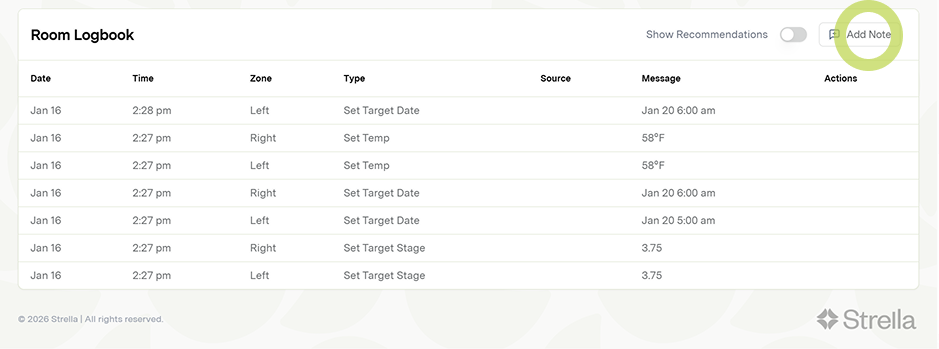
1. Scroll down to the logbook section at the bottom of the room page
2. Tap Add note
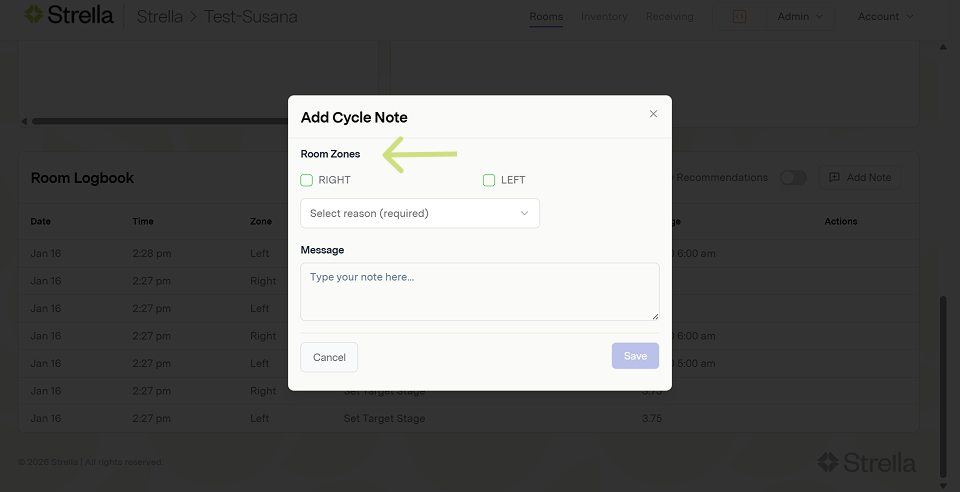
3. Select the applicable zone(s)
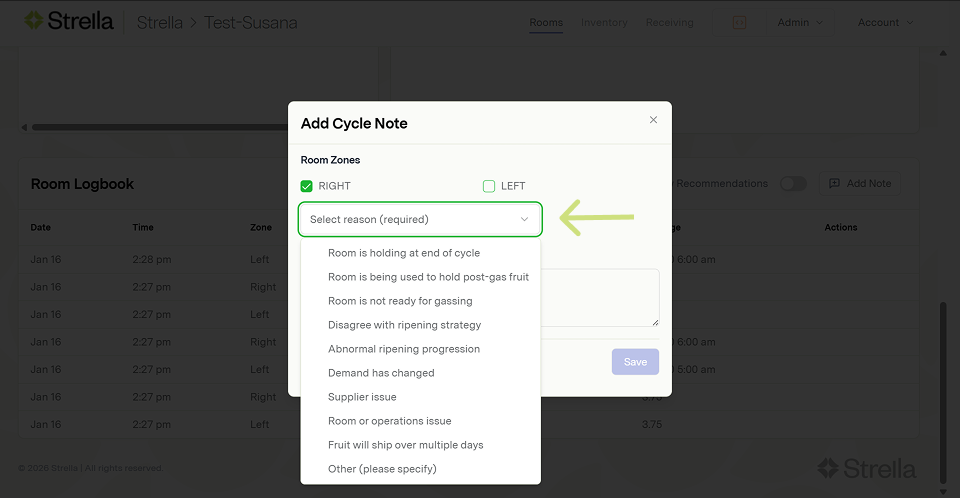
4. Select a note reason
Select a cycle note reason or category. See this notes category article to better understand how note categories are defined and intended to be used.
5. Add a message
Providing additional info using the message text box and adding your name is highly encouraged.
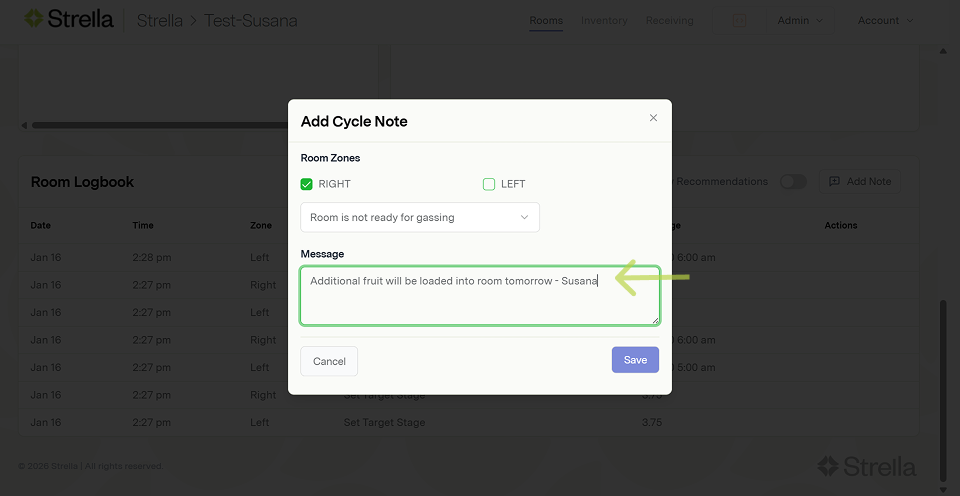
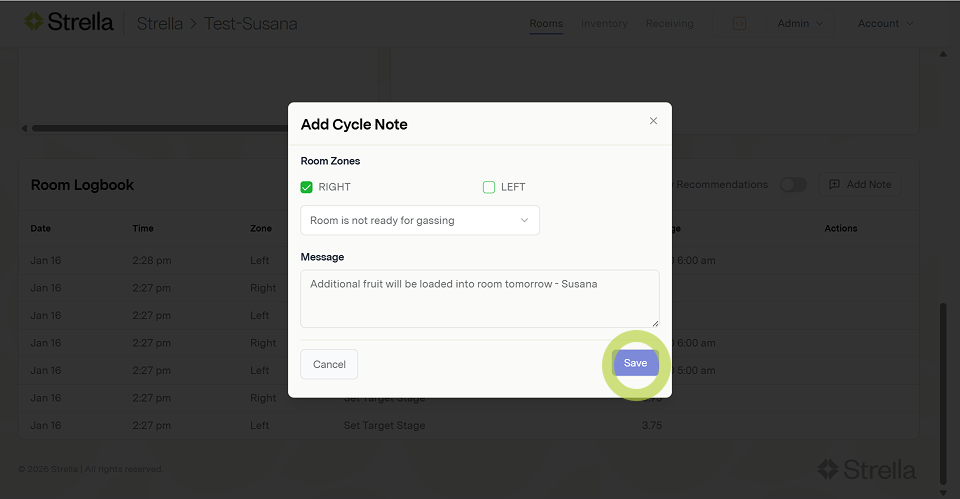
6. Tap save to add your note
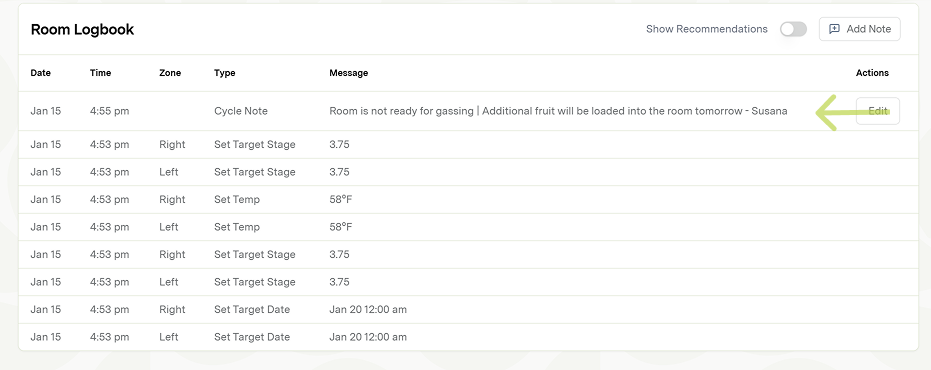
You can then view your note in the logbook.
Editing a cycle note
1. From the logbook, tap the edit button on the note you would like to edit
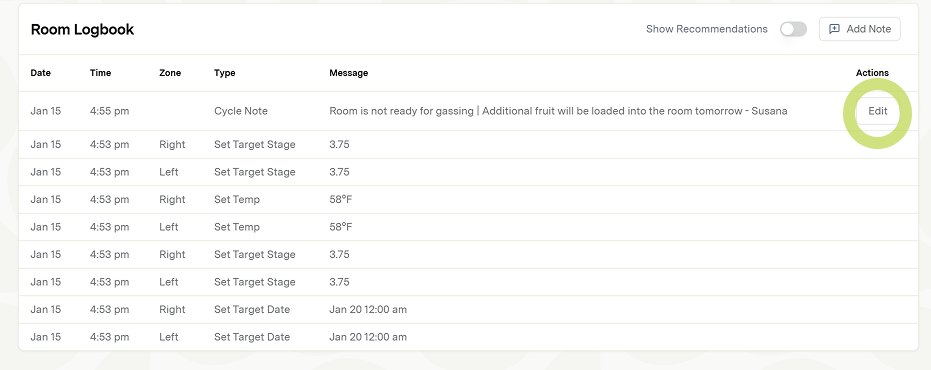
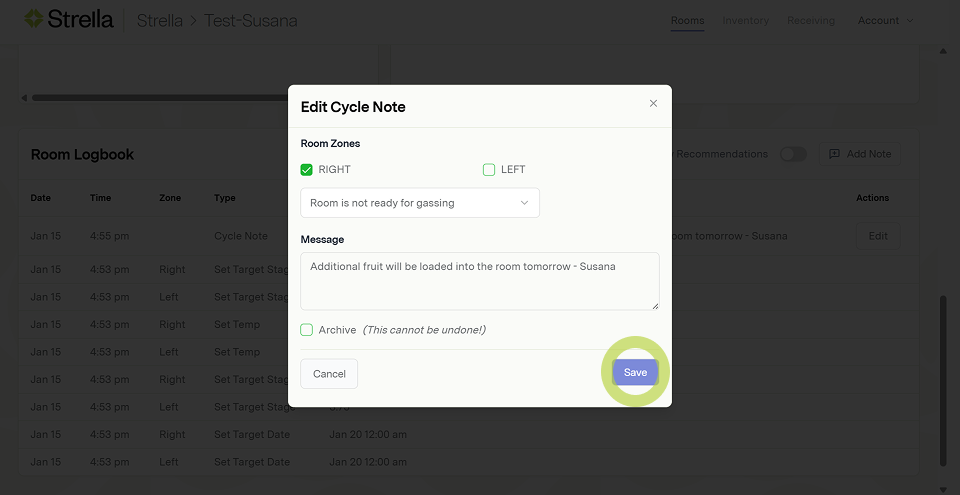
2. Make the edit to your note in the dialog and then hit save
Archiving a cycle note
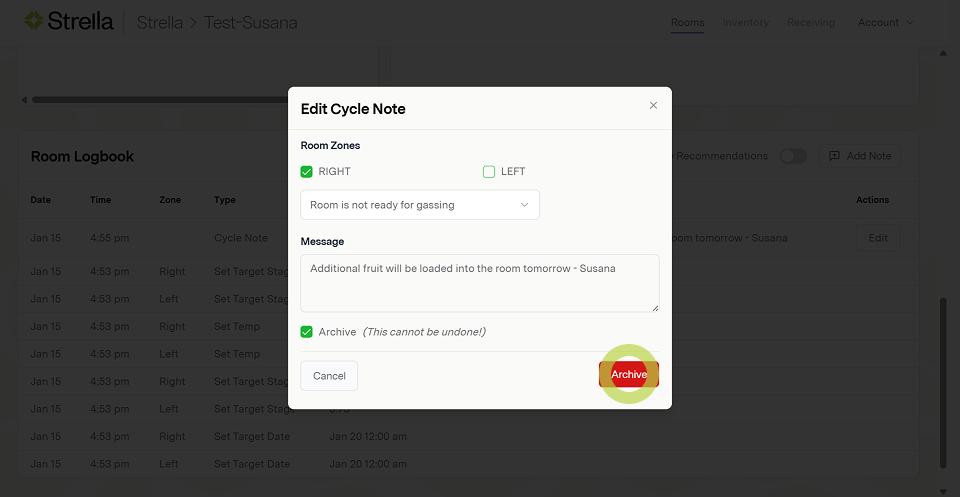
Archiving a note will remove it from the logbook. This is a good option if the note is no longer relevant, or if it was created accidentally.
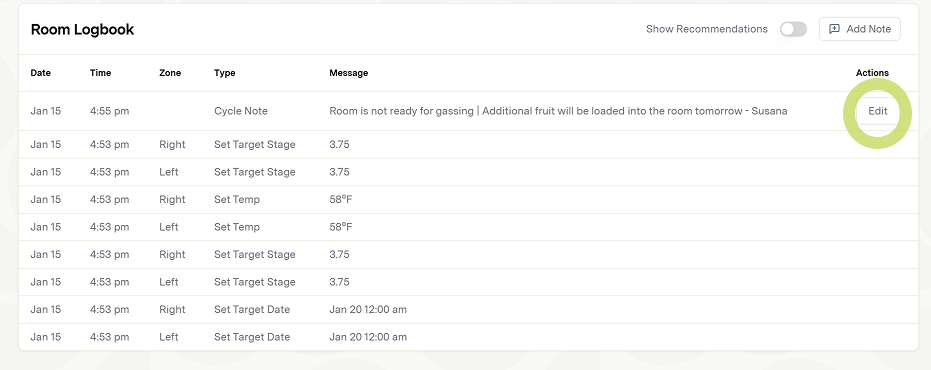
1. From the logbook, tap the edit button on the note you would like to edit
2. Tap the Archive check box
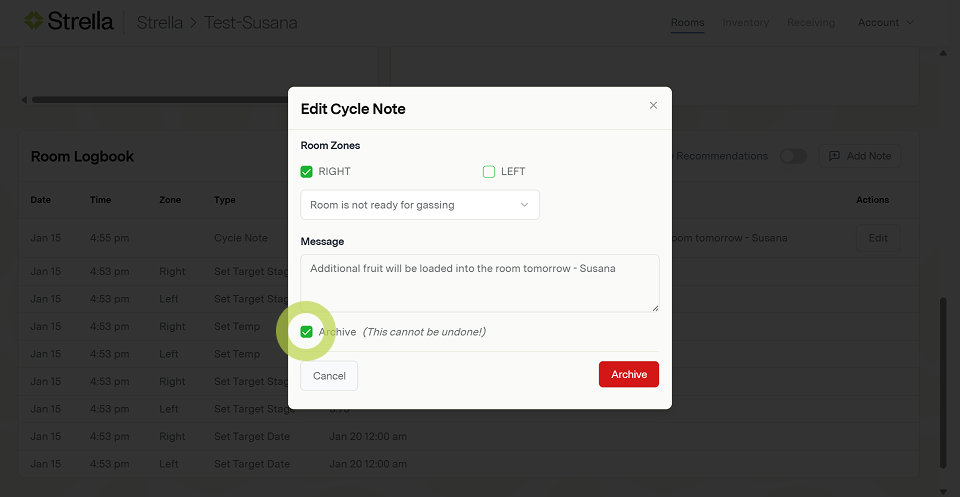
3. Tap the Archive button